A guided channel workflow
Configure Source, Transformation, Destinations, and Review & Test in a consistent sequence.
Make different systems speak the same language.
Receive, transform, and route messages between systems through configurable integration channels.
connect.bulmar.tech
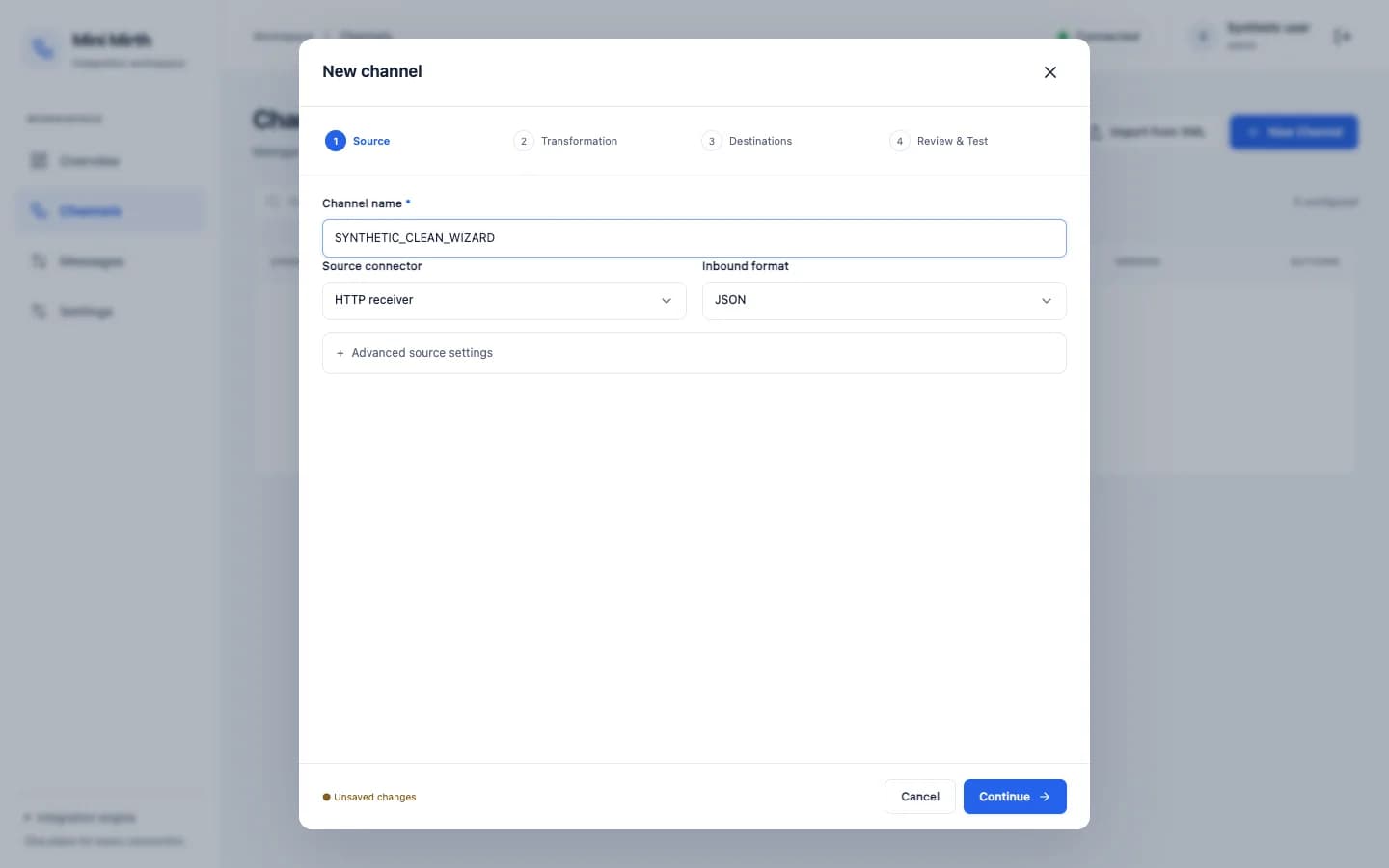
Mirth Connect brings source connectors, field mapping, delivery destinations, and message monitoring into one workflow. Build a channel around the data you receive, test its transformation, then manage its published configuration.
Connecting two systems means more than moving a message. Formats differ, fields need mapping, and failed deliveries need a traceable place to be reviewed.
Developers and integration operators connecting systems that exchange HTTP, JSON, XML, text, or HL7 v2 messages.
Configure Source, Transformation, Destinations, and Review & Test in a consistent sequence.
Apply field-based filters, map source fields to target fields, and configure format-aware validation.
Configure destination connectors and outbound formats, including HTTP and HL7 v2 over MLLP.
Preview transformations with test messages. Connection checks are separate from sending messages.
Keep drafts separate from active channel revisions and review message status, history, and operational errors.
Move channel configurations using this application’s own XML format.
Map fields from an incoming JSON message to the format expected by a destination. Use synthetic data to check the mapping before enabling delivery.
Choose a connector and the incoming message format for your channel.
Set the field mappings, validation rules, and destinations required by the receiving systems.
Inspect generated output with synthetic test data before publishing a revision.
Start the reviewed channel and use the message monitor to investigate delivery results.
Application screenshot · demo data
Receive, transform, and route messages between systems through configurable integration channels.